2014年12月6日 星期六

Research Skills Big6 - Step 2. Information Seeking Strategies


The purpose of this step is to help students to determine a focus for the research, narrow the topic and develop questions.


  1. Sub-skills
  1. Brainstorm the range of possible resources to determine the research topic and questions.
  2. Evaluate the different possible sources to determine priorities and select the best ones.

  1. How to form your questions for your project?
     1. Where can I start to look for information about Hong Kong Food Waste Management?
     http://www.hkpl.gov.hk/en/e-resources/e-databases/home/remote/1
      2. What are the best sources to use ?
     You can select relevant information from reliable sources. You can use the following 
      criteria to help you assess the quality of sources:
  • whether the author is listed
  • credentials of an author
  • whether there is a bias or a commercial interest
  • how current the information is
  • provision of links to other references and resources
     3. What type of information do I need?
      You can include both primary and secondary sources. As for primary sources, you can include pictures, facts, statistics, data and figures. Commentary, editorials and opinions are examples of secondary sources. 

     4. How can I narrow down my topic?
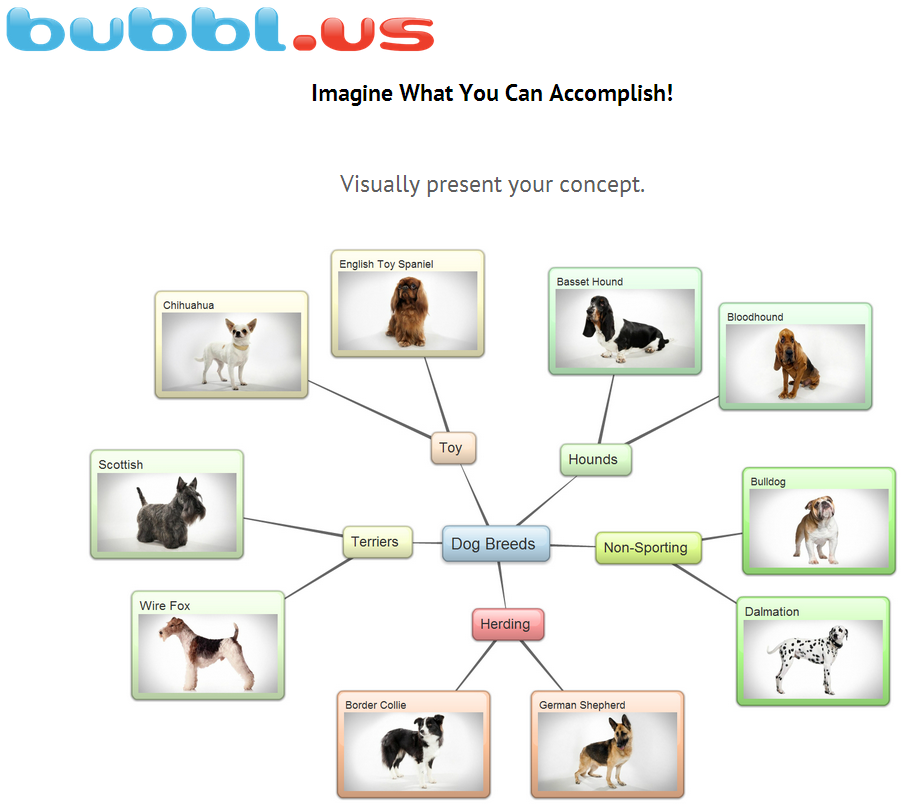
      You can narrow down your topic with the help of mind-mapping tools, such as popplet, bubbl.us. It helps you focus your topic and come up with keywords for searching.  


     5. How can I develop questions?
      You can develop essential questions and subsidiary questions with the help of Questioning  Toolkit.

2014年12月5日 星期五

Research Skills Big6 - Step 3. Location and Access


step3.png

The purpose of this step is to find out the information from various sources, no matter electronical or physical address. It involves internet searching and library catalog searching.

There are two layers of meanings in this step. First is locating sources (intellectually and physically). Second is finding information within the source. To do this, students may need to think backward and keep on asking yourself from time to time that what the topic of the project is. Take Food Waste in Hong Kong as an example. Students may need to ask the following questions.

  • What is the definition of Food Waste?
  • Is there any official data about Food Waste in Hong Kong?
  • Is there any news about this?
  • Is there any NGOs trying to tackle this problem?
  • How about government? Does she do anything on this?
  • Is there any solution to solve this problem?
  • Is there any successful example in other countries?


After listing out all the questions you need to answer, you need to think about the key words/ phrase about this project. Once you get the direction for the information you need, you can start your searching journal.

Let's generally divide all the data into two types, which include soft copy and hard copy. The skill for searching these two types of data is a little bit different.

The Skill for searching data/information in soft-copy format:

Internet is a powerful tool to search data/information in soft-copy format. Basically, there are four steps to search data in the internet.


Step 1: Select a search engine
There are many search engines in internet. The following are quite common.
Step 2: Choose a few of the most specific or relevant keywords or phrases to describe your topic.
Step 3: Assess your results.
           There are huge websites found. what you need to sort out the website with pinpoint          
           information.
Step 4: Repeat above steps on different search engines if necessary.

If you still don't know what to do, you can go to the following website. It breaks down the searching skill preciously. Just do each step one by one.


Here is the example

go to  http://www.google.com and do searching, using keyword “food waste” + “statistics” + “Hong Kong”.  Then you got the search result.


Choose the web page “Food Waste Stat - Feeding Hong Kong and read though the information inside. Finally, bookmark the link if you have quote the passage or information in it.


The Skill for searching data/information in hard-copy format:
Library is a place full of information, especially for the hard-copy format materials. The searching skill is more or less the same. But this time students go to the Library Catalogue Page instead.
Here are some searching guideline for you all to follow.
Step 1: Go to the Library Catalogue Page
Step 2: Input the Keywords or Phrase and then press Search


Step 4: Sort out the information you need and mark down the call number of the books. You can also do the reservation process at the same time. 
If you have any questions, don't hesitate. Just ask the librarian directly. For HKPL website, you can find "Ask the Librarian" on your right-hand side. You can chat with the librarian and get instant response. 


Searching Tips:
To enhance searching skill, you need to learn some punctuation, symbols and operators mentioned in the following website. They can help you to get specific search results.

Students, you need to remember that not all the information is useful and meaningful to your project. Don't just copy and paste. Analysis is needed. Citation is needed.







2014年12月4日 星期四

Research Skills Big6 - Step 4. Use of Information

Research Skills Big6 - Step 4. Use of Information
step4.png

This step is to evaluate information collected from various sources. Mainly  involves information evaluation, note-taking skills and citations.

There are also two layers of meaning for information evaluation. First is the evaluation for the reliability. Second is the evaluation for how much information related to the project is.

For the reliability of information

Students you may ask the following questions to yourself.


A. What to look for in books and periodicals
  1. Currency: What is the publication date of the resource? 
  2. Authority: Who is the author and publisher? 
  3. Validity/Accuracy: Is the information accurate or valid?
  4. Audience: Who was the resource written for? 
  5. Point of view (bias): What is the resource's point of view?

B. What to look for in web sites
  1. Currency: When was the website last updated?
  2. Authority: Who is the author or creator?
  3. Validity/Accuracy: Is the information accurate or valid?
  4. Audience: Who was the website created for?
  5. Point of view (bias): What is the website's point of view?

If you want to get more ideas about this, you can go to the following website.

**Once you confirm the data you have got reliable, then you can go to next step. That's extracting information from the reading materials and taking note whenever you find any useful information related to the project.


For Effective Reading and information Extraction

This article gives you some guidelines and reminders while you are reading. Remember! Don't just only read the things. You need to keep on asking yourself whether the materials you are reading are relevant to your project and how you would use the information. No just only read.

To our food waste project, you may ask the following questions:

1. What kind of information can the readings contribute to the project?
2. Is the information about the cause of the problem of food waste? or the solution?
3. Where do the information come from a reliable organization, like government?
4. Is it a fact? Or is it related to emotion expression from the writer?

One more tip to all of you. Skim and Scan bold print, headings, and captions can save up your time and energy!
For Note-taking (Skills)

It is impossible to keep all the information you got in your mind. You need to take an note for the important information or idea you got while you are reading. Here are some websites for grabbing the skills of note-taking.

According to California Polytechnic State University, there are five methods for note-taking. You can read the link article to learn more about the technique of each methods, as well as their pros and cons .


B. Tooling and Studying: Effective Reading and Note-Taking ( by Massachusetts Institute of Technology)
This article lists out all the points that you may miss out when taking note. It is worth reading it before taking notes. You can treat this as a reminder.

Your optimal style may include the following:
  • Dating your notes, and provide a heading that describes the piece's overall content.
  • Numbering the pages of your notes.
  • Paraphrasing instead of writing verbatim - writing in your own words, except for formulas, definitions, and specific facts (i.e. involving dates), which should be recorded exactly as in the text.
  • Using consistent abbreviations and symbols.
  • Developing an ideal organizational format, like an outline, map, table, or notecards, depending on content.
  • Leaving room in the margins for additional thoughts or questions.
  • Typing your notes, which can be used for exam-studying, once you have clarified any ambiguities.

For Note-taking (tools)

Web 2.0 does create an environment which is favor for conducting project. There are many good websites allow students can take note, share information and do the collaboration instantly. Here are some examples.

A. Remember the Milk allows you to Manage tasks quickly and easily. Get reminded, anywhere. Organize the way you want to. Work together to get things done. Plan your time. Add tasks wherever you are.


B. Evernote keeps you focused on moving those ideas from inspiration to completion, no matter what form your writing takes, from short lists to lengthy research.


**While you are reading your resources and taking note, it is a time for making a list of reference. Students, you need to remember that Copy and Paste is not allowed in all the academic writing. plagiarism is an act of fraud. It involves both stealing someone else's work and ideas, as well as lying about it afterward. Therefore, it is important to you to grab the skill of citation. Here are some good videos and websites about this. 

For skills and tools of citation

A. Understanding Plagiarism
**This video lets you know the reason and the definition of plagiarism. 

B. Plagiarism: How to avoid it
**This video teaches some skills to avoid plagiarism by using quotation and paraphrasing. 

C. Plagiarism: What It is and How to Recognize and Avoid It (By Indana University) gets a clear definition on Plagiarism and introduce methods to avoid it with plenty of examples.

D. Reference Machine by PolyU HK is a useful referencing machine. You can follow the instruction to input the necessary information and you can get a citation in return. 


2014年12月3日 星期三

Research Skills Big6 - Step 5. Synthesis

Research Skills Big6 - Step 5. Synthesis
step5.png
The purpose of this step is to organize all the information and get well-prepared for the presentation.

After completing the previous four steps, you are expected to gather a plenty of information. It is time to organize the information, draft, edit & revise the written report for the project, get ready to present, as well as cite source. There are some suggestions for students to overcome this step.


A. Don't get frustrated. You can't see the whole picture unless you stay calm. Then, ask yourself again what the purpose of this project is. For this project, you may ask the following questions:
What is the situation of food waste in Hong Kong?
What is the impact of this problem to Hong Kong and even to the World?
Is there any figure to support the report?
Is there any solution for this problems? 

B. Create a mind map to help you organize all the information.
     There are some online tools which can help you to create a mind-map so that you can 
     have a better organization for the information you have got. The following are some good      tools which are free of charge.

    For Building a Mind Map
     1. Bubbl.us
   

     2. mindmup 
     3. text2mindmap
   
    4. gliffy
     

  5. Creately

  6. Mindomo

C. Write an outline for your presentation. 

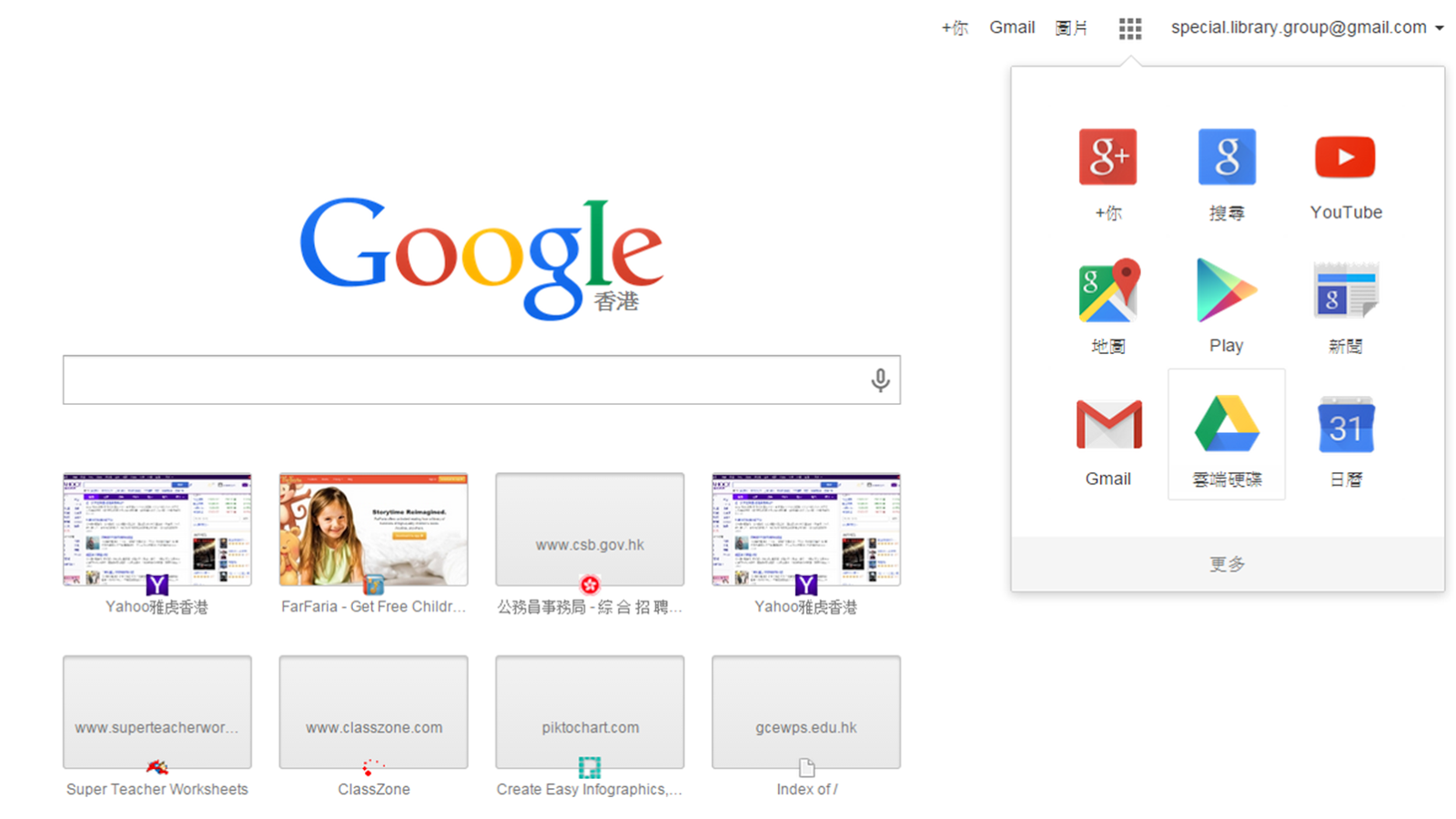
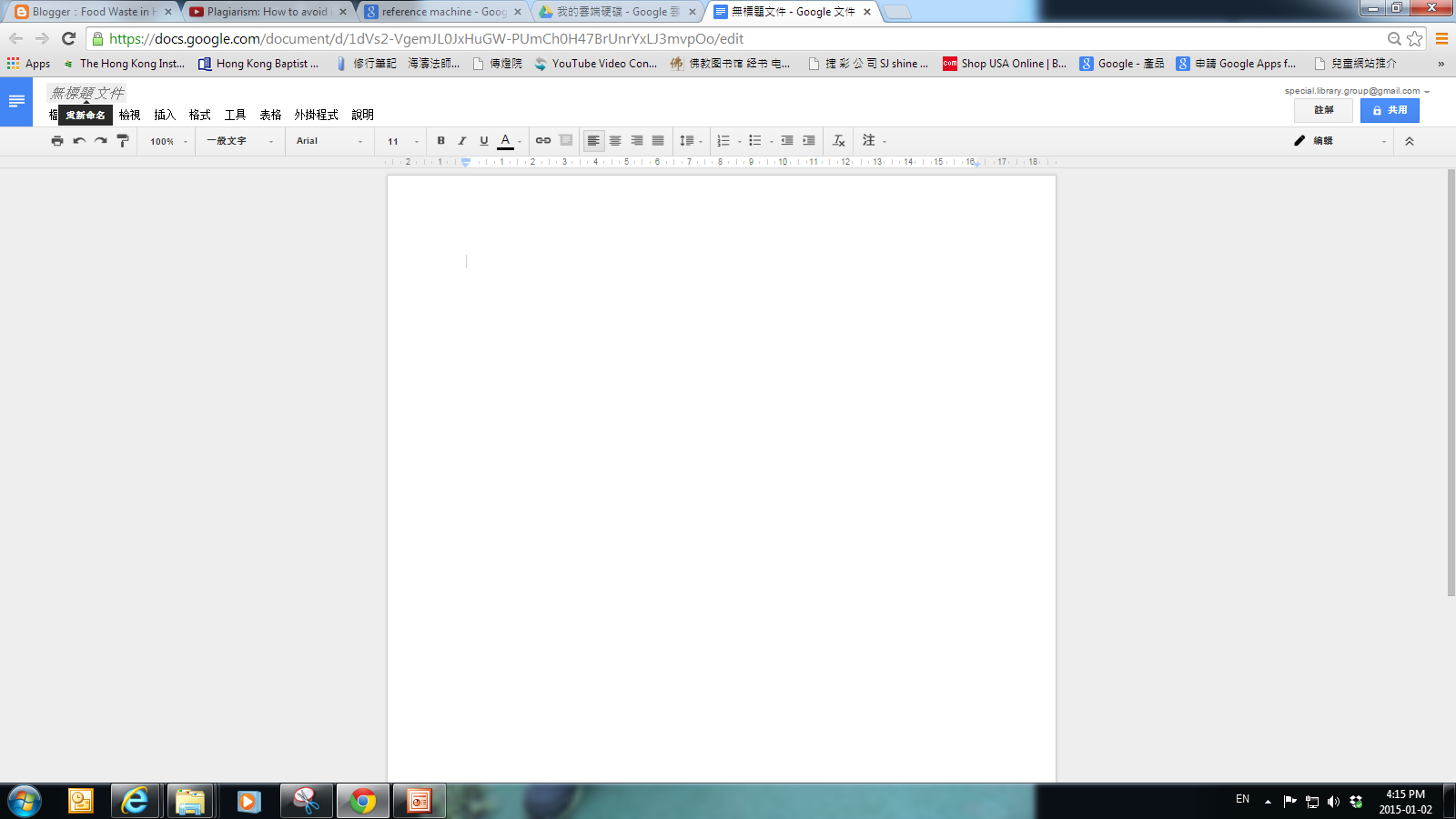
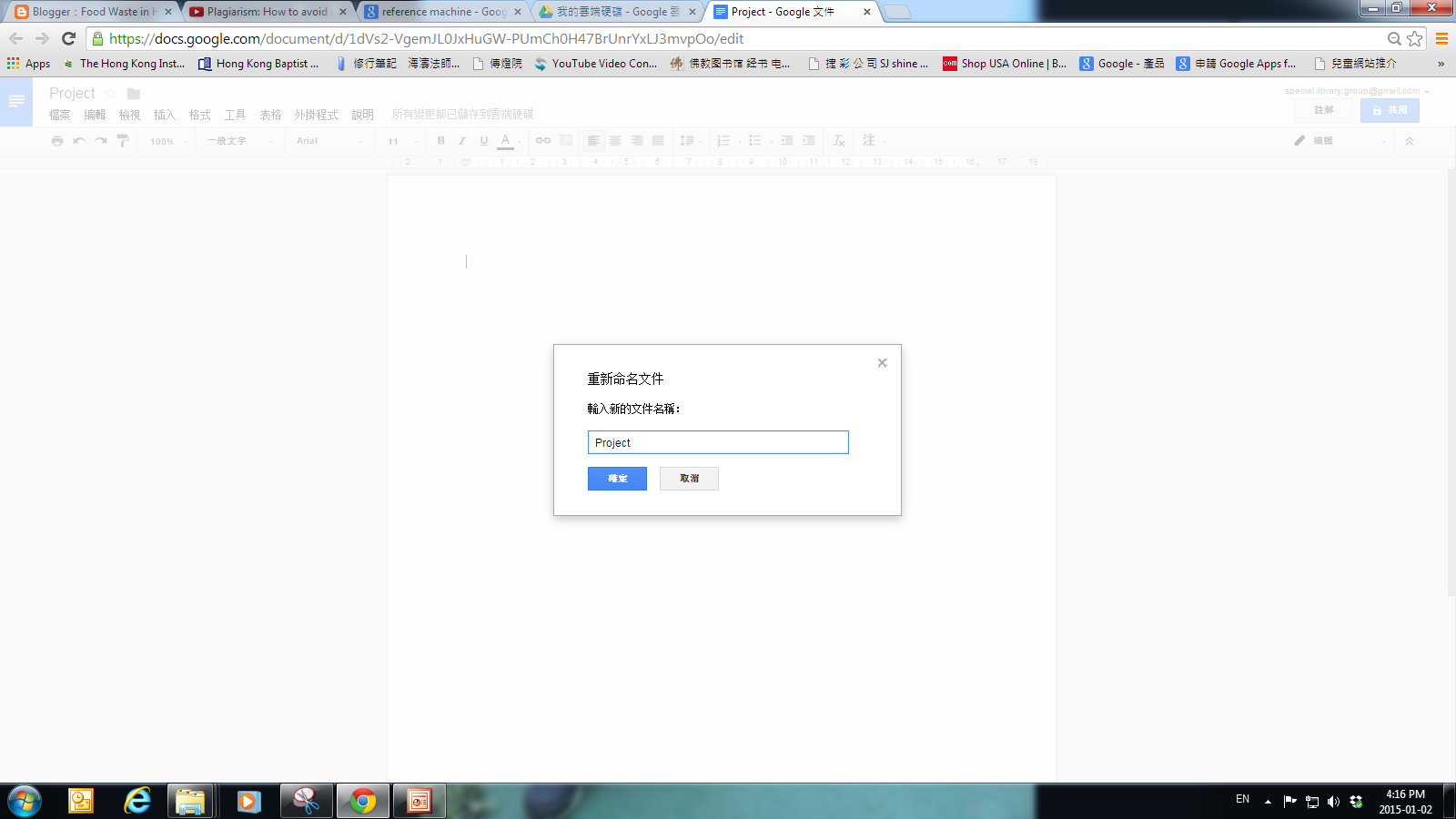
Google Drive and Google Doc are powerful tools to help you exchange information with your group-mates. They allow you and your group-mates to draft, edit and revise at the same time but in different places. The following are few steps to create a document and share the editing right to your group in Google drive. 

Step 1.  Login the google account and go to the Google Drive


Step 2. Create a doc by clicking the doc button


Step 3. Change the file name which is on the left hand side


 Step 4. Click the share button on the top right-hand corner. Input the e-mail address of the ones whom you want to share the editing right to. 


Students, you may create spreadsheet, powerpoint and excel with shared- edition right to your group.


D. Give the Presentation

 With all the things ready, it is also a time for you to make your presentation.

1. Powerpoint - This is the most common  tool used in the presentation. The following video teaches you the skills for using PowerPoint 2010 so as to make an awesome slide.


   **Using PowerPoint 2010 - A Complete Tutorial of Most Features


2. Powtoon - Besides powerpoint, movie and slide show are alternatives for you to present the product. Powtoon is a user-friendly animated video maker. 


3. Piktochart - This website allows you visualize your project into chart.  


2014年12月2日 星期二

Research Skills Big6 - Step 6. Evaluation

step6.png


The purpose of this step is to take an evaluation on the product ( effectiveness) and the process (efficiency).

For the evaluation on the outcome of the project, there are two ways to check whether you do well or not. 

First, you can compare your project to the task goal set at the beginning (Big6 Step 1: Task Definition). The following questions may help you do the comparison. 
1. Did you do what you were supposed to do? Should you do something else before you turn it in?
2. Do you really understand the cause and the effect in the Food Waste issue in Hong Kong? Did you illustrate clearly in your report?
3. Is there any solution for this problem? Did HK government take any action on this issue? 4. Being a citizens, are there anything they can do? What are they?
5. Are you proud of your project and pleased to present to others?
6. If there is a chance for you to do the same project again, will you do the same way? Or is there any improvement?

Second, you can use the rubric your teacher provided to check whether you meet the target. Here is the rubric for reference.


Knowledge and Understanding 
Wicked

Demonstrates sophisticated understanding of the Food Waste issue.
Able to critically self-assess food waste and determine the positives and the negatives of their home system. 
Good

Demonstrates clear understanding of the Food Waste issue.
Able to self-assess food waste and determine the positives and the negatives of their home system. 
Fair

Demonstrates somewhat clear understanding of the Food Waste issue.
Able to self-assess food waste with limited understanding of the positives and the negatives of their home system. 
Poor

Demonstrates somewhat clear understanding of the Food Waste issue.
Able to self-assess food waste with limited understanding of the positives and the negatives of their home system. 
Thinking and Inquiry 
Wicked

Strategies illistrate a high level of sophistication and transferable ideas.
Strategies reflect soffisticated self-assesment as well as research. 
Good

Strategies are transferable to better other people.
Strategies reflect clear self-assessment as well as research. 
Fair

Strategies are somewhat transferable to other people.
Strategies reflect somewhat clear self-assessment as well as research. 
Poor

Strategies are limited.
Strategies reflect unclear self-assessment as well as limited research. 
Communication 
Wicked

Presentation is wicked.
Speech and tone are dynamic, clear, and concise.
Time is used effectively during class.
Presentation takes all of the allotted time. 
Good

Presentation is almost wicked but not quite.
Photos are clear and good.
Speech and tone are clear and concise.
Time is use effectively during class.
Presentation is within time limits. 
Fair

Presentation is not quite wicked.
Photos are somewhat clear and good.
Speech and tone are somewhat clear.
Time is not typically used effectively during class.
Presentation is very close to the time limits. 
Poor

Presentation is wicked, but not in the good way.
Photos are unclear.
Speech and tone flat and hard to understand.
Time is not used effectively during class.
Presentation is nowhere near the time limits. 
Application 
Wicked

Uses presentation program with a high level of sophistication.
Uses presentation program effectively.
Each of the charts is completed efficiently and clearly.
Has several photos from each day. 
Good

Identifies photos that help illustrate the point at a good level.
Followed instructions and completed each of the charts at a good level.
Has at least 1 photo from each day. 
Fair

Identifies photos that somewhat help to illustrate the point.
Uses presentation program at a limited level.
Followed some of the instructions and completed each of the charts.
Has some photos. 
Poor

Identifies photos that do not help to clearly and illustrate the point.
Does not use presentation program.
Did not clearly followed instructions and completed some of the charts.
Has few/limited photos. 


A rubric or a checklist of questions is a good way for you to judge the effectiveness and efficiency of your project. There are several websites providing assessment tools and rubrics, You can find the rubric with the topic similar to yours as a reference. You can even generate a rubric at the very first beginning at step 1 so that you can have a checklist for evaluation.


For the evaluation on the process of the project (efficiency), you can think about whether you complete each steps of  the Big6 efficiently.  There are some questions you may ask at each step.

Step 1. Task Definition

“What is the aim of this project?”

Step 2. Information Seeking Strategies

“What information do I need?” 

"What search engines would I use? Am I familiar with all of them?"

"Do I know how to distinguish the first-hand or second-hand information?" 

Step 3. Location and Access

"Do I know the keywords or phrase for locating the information?"

"How can I keep the useful information so that I can read it whether I need?"

"Are the resources I have got in different formats?"


"Does it take a long time to find the resources?"


Step 4. Use of Information

"Do I grab with the skill of note-taking?" 


"Do I know what information I need?"

 "Do I use Web 2.0 tools to share the information with my group so that the process can speed-up and information is shared effectively?"


Step 5. Synthesis

"How well was I able to organize all the information?"

"How should I present my project? In Power point or in Animated Slides?"

"Do I list the resources properly with APA format?"


Now, do you have any ideas about your performance in the project?